

Tools Voting
Here you can test out your audience's response to one question immediately. This requires that you use event-manager's television graphics to display the result on screen via a projector. For example, you can display a "yes" / "no" graph on a question of people vote for Oslo Olympics or EU membership.
To Activate Voting Module you need to go to Session edit and enable it.
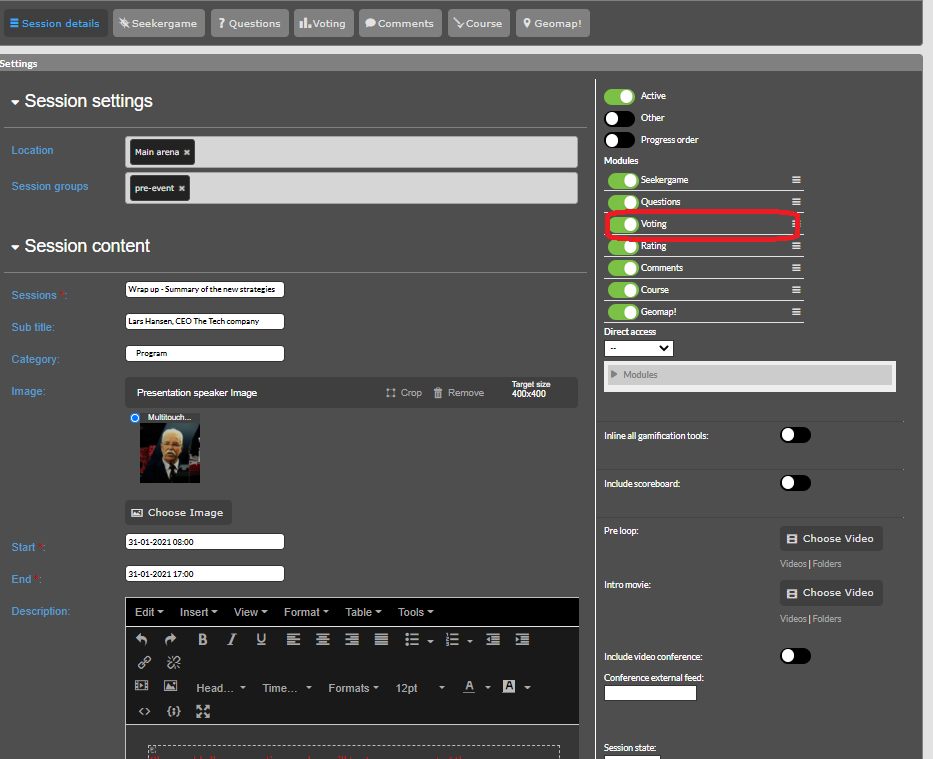
To set it up you have the module.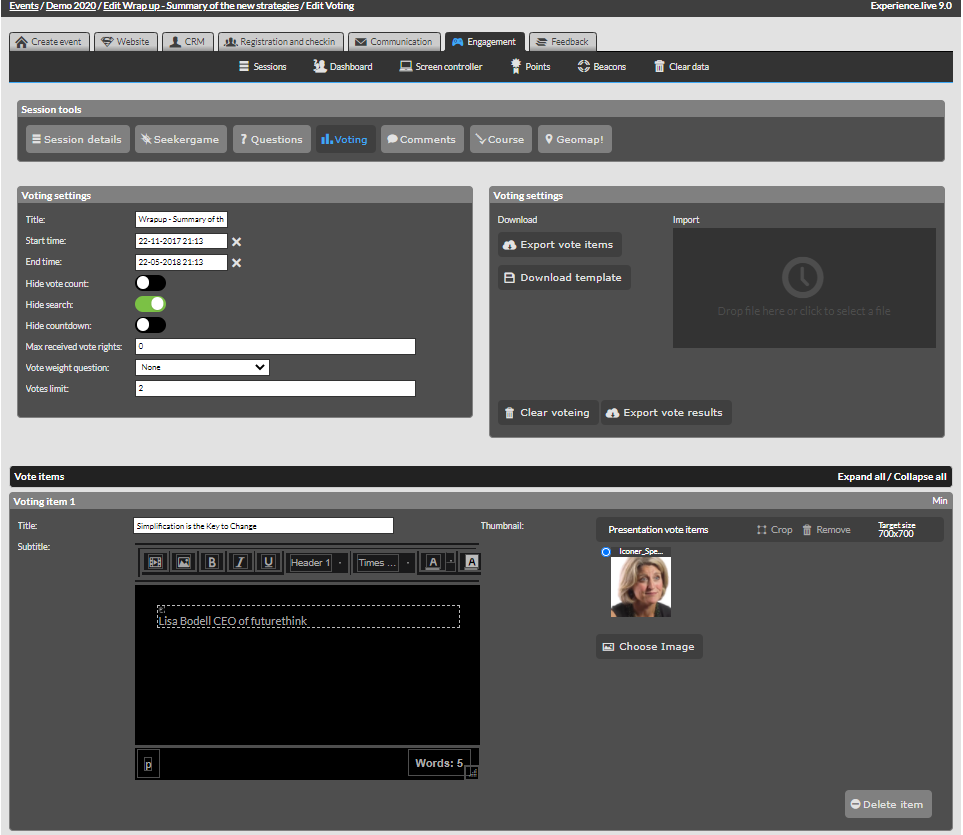
Title: - title of the module
Start Time: - start time of module
End Time: - end time of module
Hide vote count: - to hide the count of votes
Hide search: - hide search or to be prezent
Hide countdown: - the remaining time to hide or not
Max received vote rights: max number of votes received
Vote weight question:
Votes limit: how many votes a user have(can be used on two times on the same voting item)
Voting Item:
Title: - title/name of the voting item,it can be name of someone etc
Subtitle: - a subtitle(a small description under the title)
Thumbnail: - image(example if its to vote people it can be a image profile of the person)